3-camera scoring · early access

Use the cameras
you already own.

Put three cameras round the board and DartFeed combines them into one score. It runs in your browser, so there is nothing to download — and it guides your checkouts, zooms in on the final double and saves replays you can share.

Scoring from your phoneComing soon
3-camera scoringRuns in your browserCheckout guide + auto-zoomReplays to save & share501 with friends
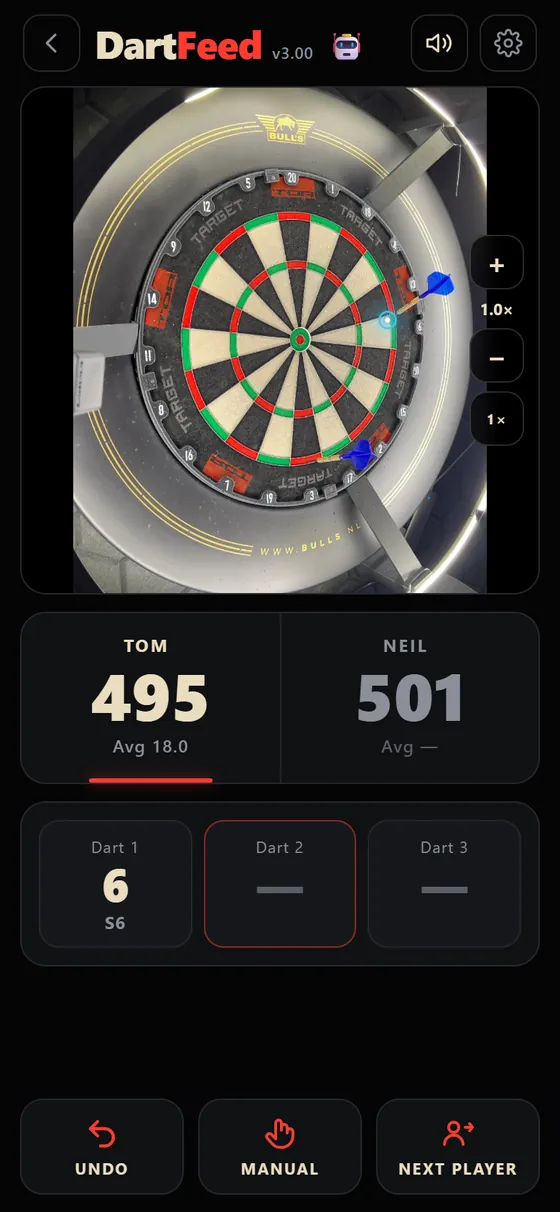
DartFeed scoring a dart with a blue marker on a real dartboard
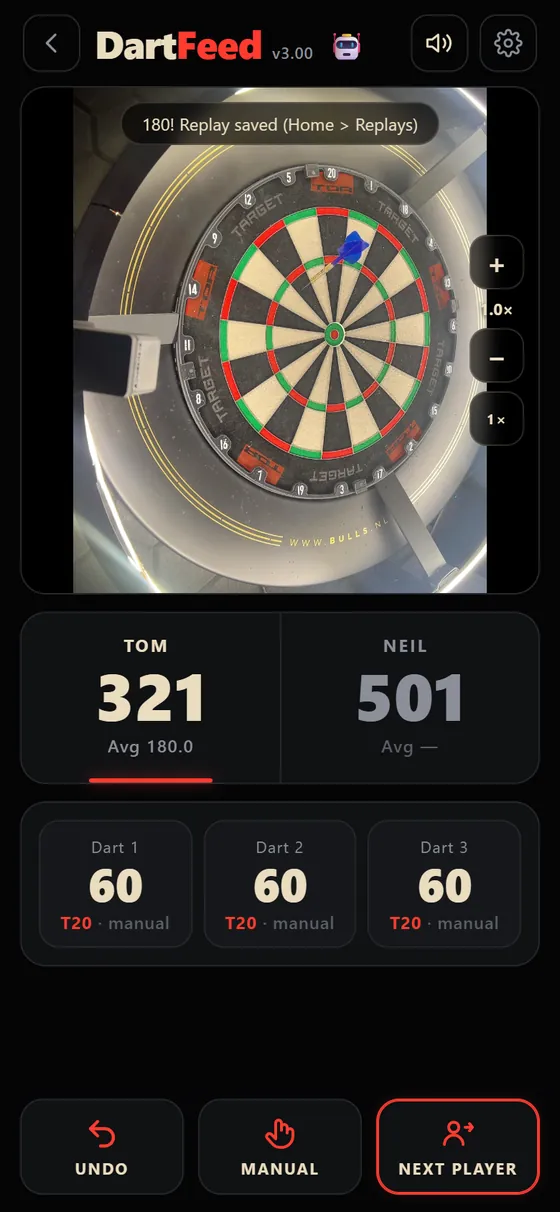
DartFeed after a 180 with a replay saved
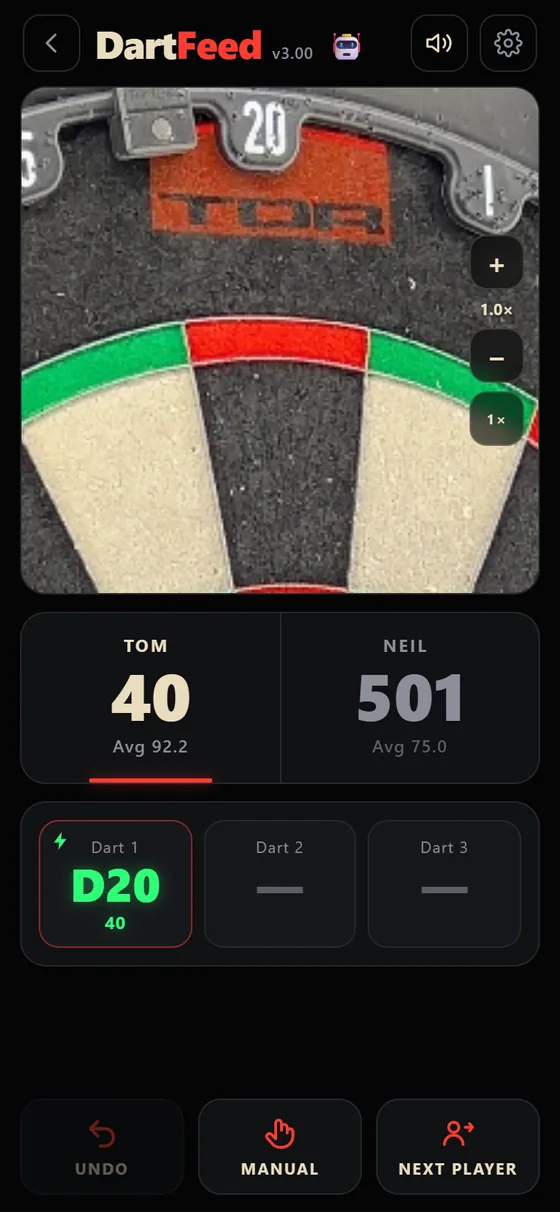
DartFeed zooming in on the double 20 for a checkout
Dart readT20 · 60
Replay saved180!
3 cameras Early access

Use the cameras you already have.

Got a 3-camera set-up already? Put the cameras round the board and DartFeed combines them into one score, right in your browser. Nothing to download and no special hardware to buy.

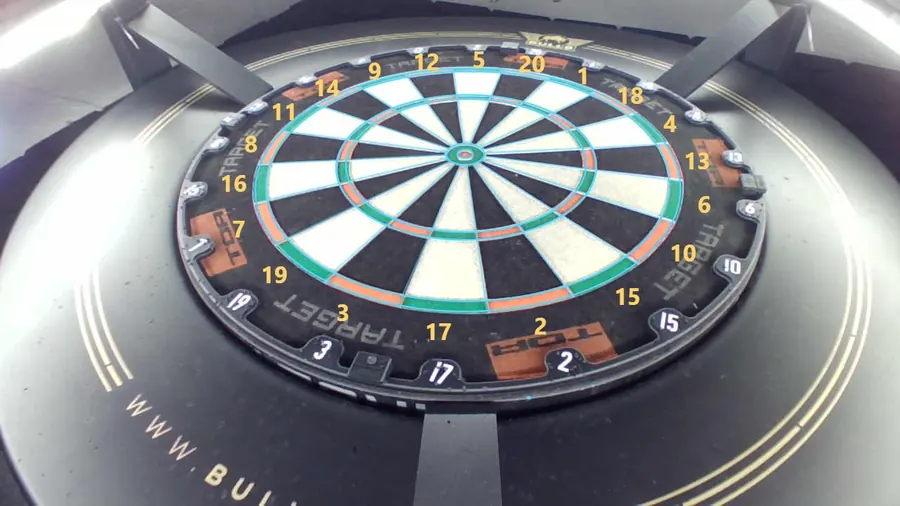
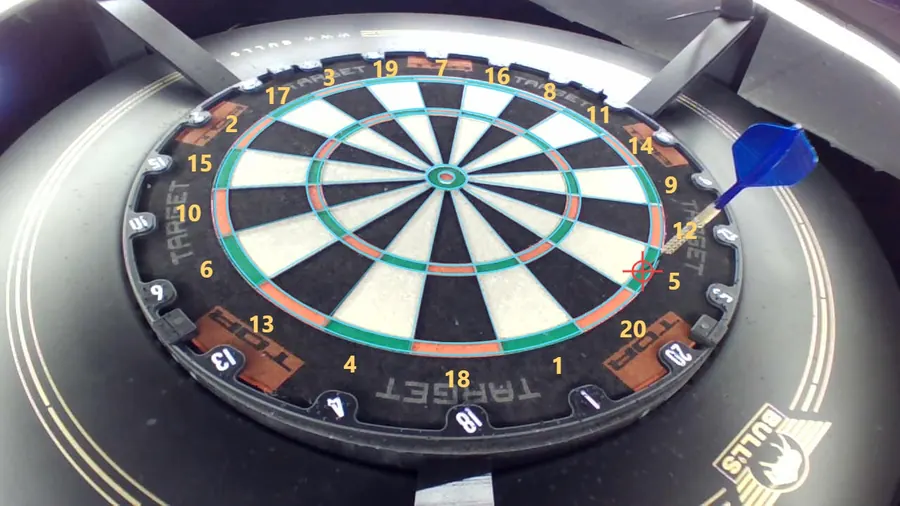
Webcam 1: the board with the AI's segment numbers drawn over itCamera 1 · calibrated
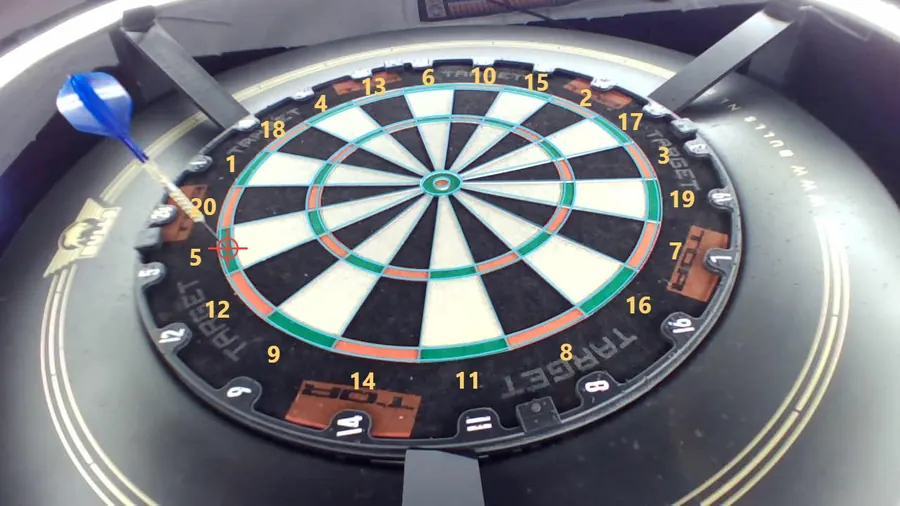
Webcam 2: a dart in the board with the tip markedCamera 2 · dart found
Webcam 3: a dart in the board with the tip markedCamera 3 · dart found
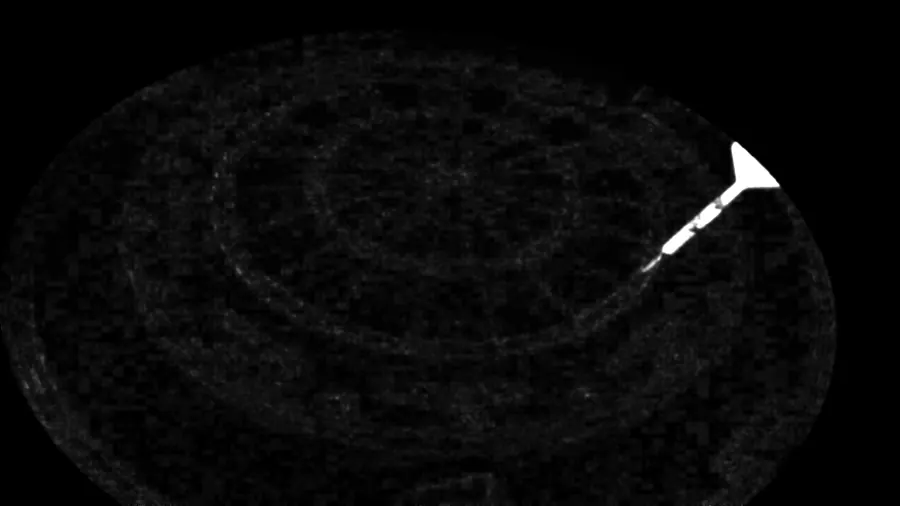
Change map from webcam 2: only the dart lights upWhat changed · camera 2
Change map from webcam 3: only the dart lights upWhat changed · camera 3

Three angles, one score

  • Calibrate once. Tap the 20 on one webcam and the others line up as the first dart lands.
  • Change detection. DartFeed only looks at what changed, so a dart lights up and the rest of the board stays dark.
  • Three angles help with hidden darts. If one camera cannot see a dart behind another, another camera often can — though tight groups can still be missed.

What you need

  • Three USB cameras placed round the board, each seeing the whole board. An existing 3-camera set-up works.
  • A PC with the Chrome browser — that is what we have tested on. There is nothing to install.
  • A standard bristle dartboard and decent light.
How it works

Set it up once. Then just throw.

No sensors, no boards to buy. Three cameras, a normal dartboard and DartFeed in your browser.

Put the cameras round the board

Three cameras, spaced round the board so each can see all of it. Open DartFeed, press Start webcams, and it finds the board in each picture and lines the three up.

Throw

DartFeed compares each camera with an empty-board picture, spots each new dart, finds the tip and combines the three views into one score — singles, doubles, trebles, bull and 25.

Hear it. See it. Move on.

The score is called out loud, the next player starts when the darts come out, and your checkout is on screen the moment you are on a finish.

See it in action

The 40-second tour

Silent, with captions: the three-camera set-up, phone scoring (coming soon), replays and online play.

Checkout guide

Know your finish.
See the double.

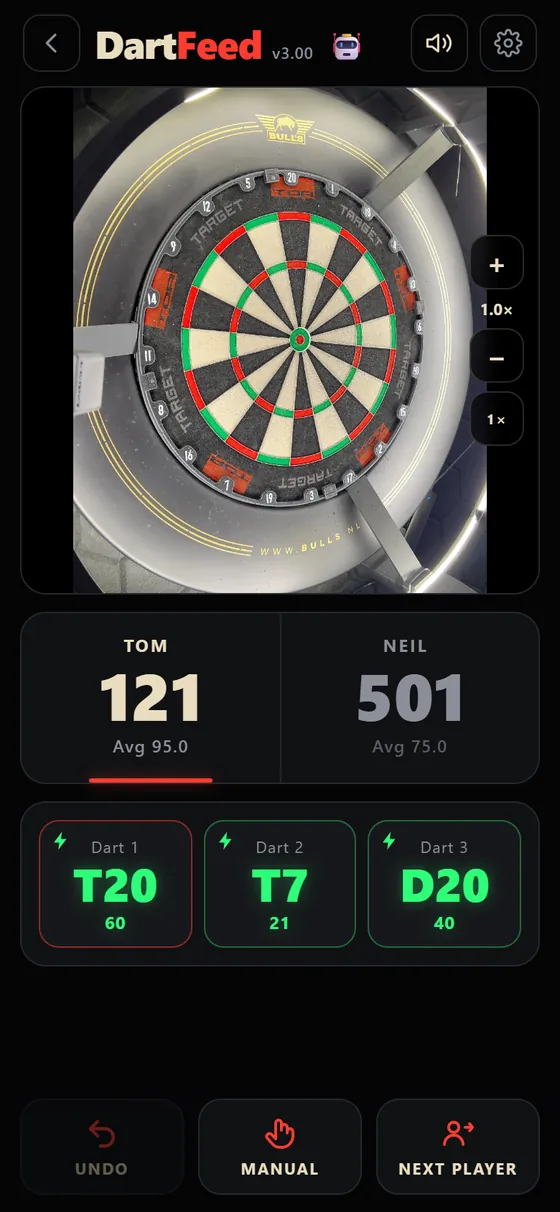
The moment you are on a finish, DartFeed shows the route and then zooms the camera in on the double you need.

  • Suggested route for up to three darts, built around the doubles you like to hit (D16, D20, D8…).
  • Auto-zoom onto the checkout double and repeat trebles, so you can see exactly where your dart went. Zoom in or out any time with the + and − buttons.
  • Called out loud: “You require 121.”
  • Double out on or off — plus 301, 501 and 701, and best-of-legs matches.

Example routes DartFeed shows

170
T20T20BULL
121
T20T7D20
100
T20D20
40
D20
DartFeed showing the suggested checkout T20, T7, D20 for 121
DartFeed zoomed in on the double 20 for the finish
Replays Pro

Never lose the best
dart you threw.

DartFeed records your visit and keeps the clips that matter — without slowing the scoring down.

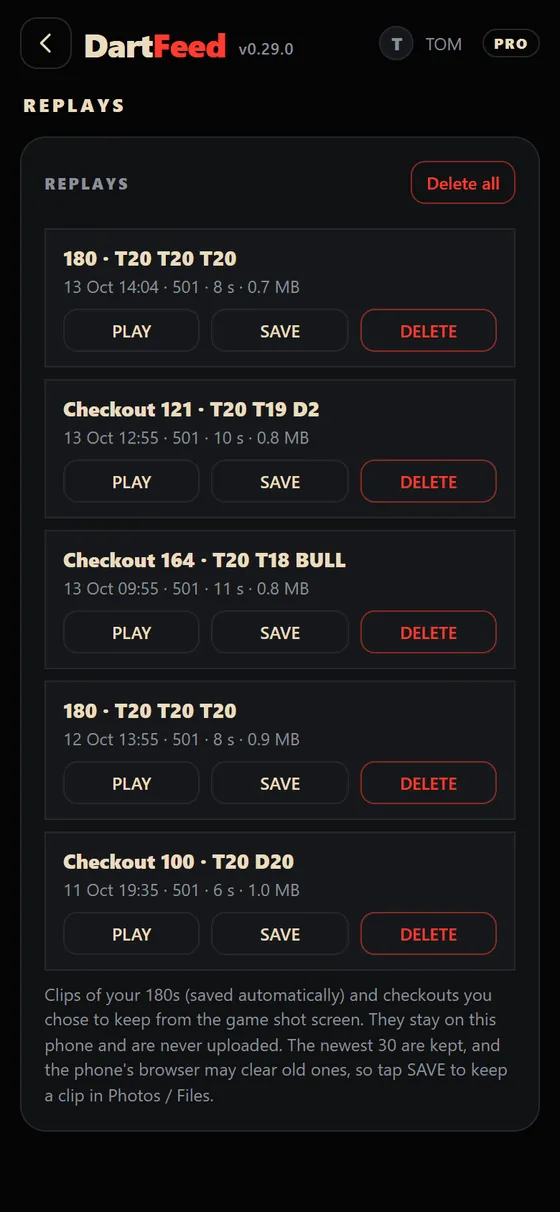
  • 180s save themselves. Hit three in the 20 and the clip is already waiting in Replays.
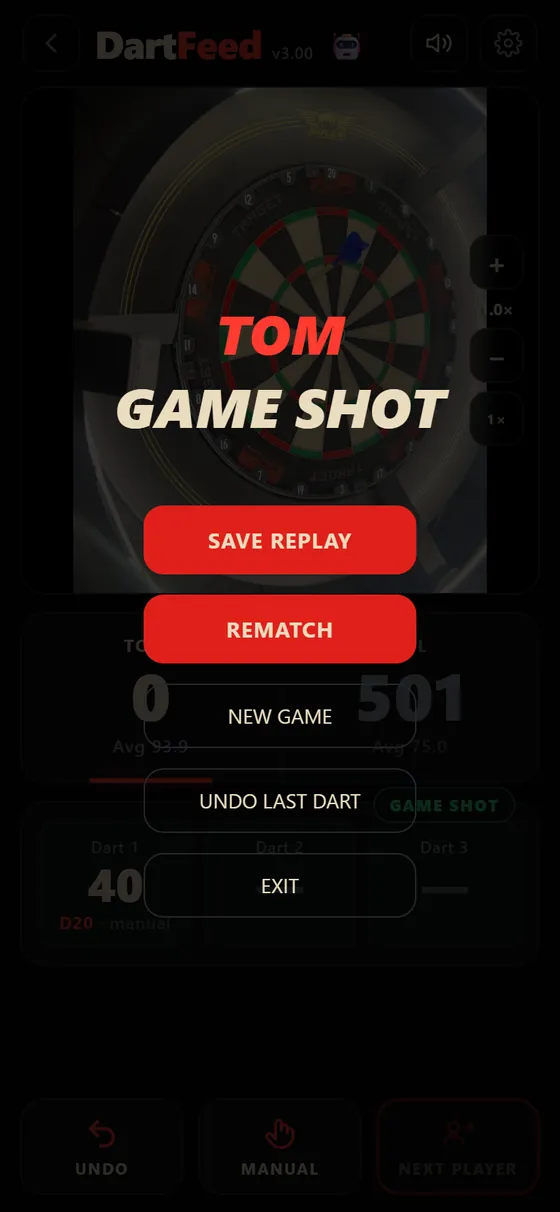
  • Checkouts on the game shot screen. One tap on SAVE REPLAY keeps the winning visit.
  • Watch, share, delete. Save a clip to Photos or Files, or send it to your mates.
  • Private by design. Clips stay on your device — never uploaded. And a built-in safety switch turns recording off if it ever slows the scoring.
Game shot screen with a SAVE REPLAY button
The Replays page listing saved 180 and checkout clips
Accuracy

See how well DartFeed is reading your darts.

No hiding behind marketing numbers. DartFeed keeps an honest tally on your own device: every dart you correct, add or undo counts against the scoring.

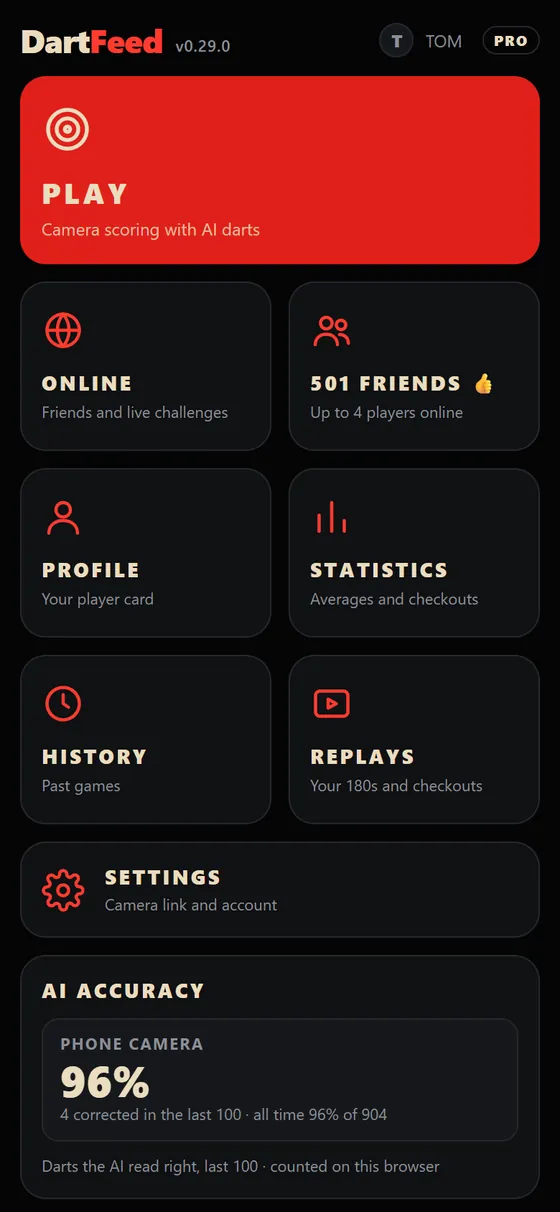
  • Live percentage of the darts DartFeed read right in your last 100.
  • Home screen and settings — one glance tells you how your camera positions and lighting are working.
  • Tune your setup — move a camera, add light, check the number goes up.
Example
96%
4 corrected in the last 100 · darts read right

Example of the accuracy tile on the home screen (sample numbers).

501 Friends

A group game.
Everyone at their own board.

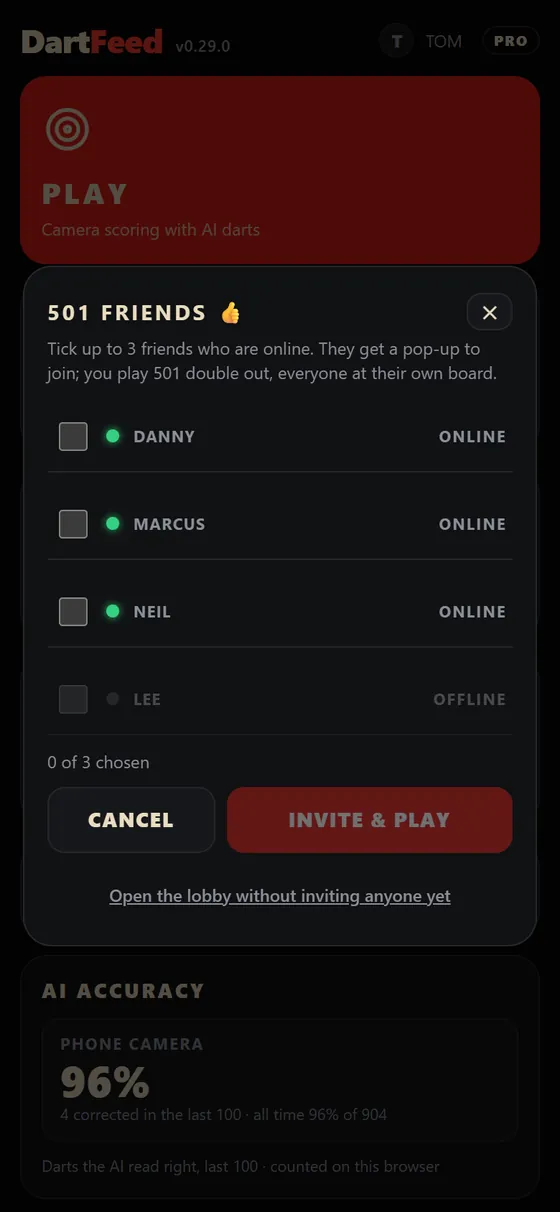
Invite up to three friends and play 501 together, live. Each of you throws at your own board with your own cameras — DartFeed keeps the score and shows everyone the thrower’s board.

  • Up to 4 players, double out, one shared scoreboard.
  • Live video of whoever is throwing, so you can watch every dart.
  • Voice chat — off until you switch it on.
  • Friends only. No random matching: you play people you have added.
  • See who is online with a green dot and invite them with a pop-up.
Choosing friends to invite to a 501 Friends group game
T
TOMthrowing
181
N
NEILScotland
240
D
DANNYWales
96
M
MARCUSIreland
317
Phone scoring Coming soon

Scoring from one phone
is on its way.

We are testing AI scoring from a single phone camera. It is not open to everyone yet, but it is coming.

  • One phone on a stand. No extra hardware.
  • You are always in charge. Tap a dart to fix it, add one the AI missed, or UNDO.
  • Nothing leaves your phone. The picture is read on your device — it is not uploaded.
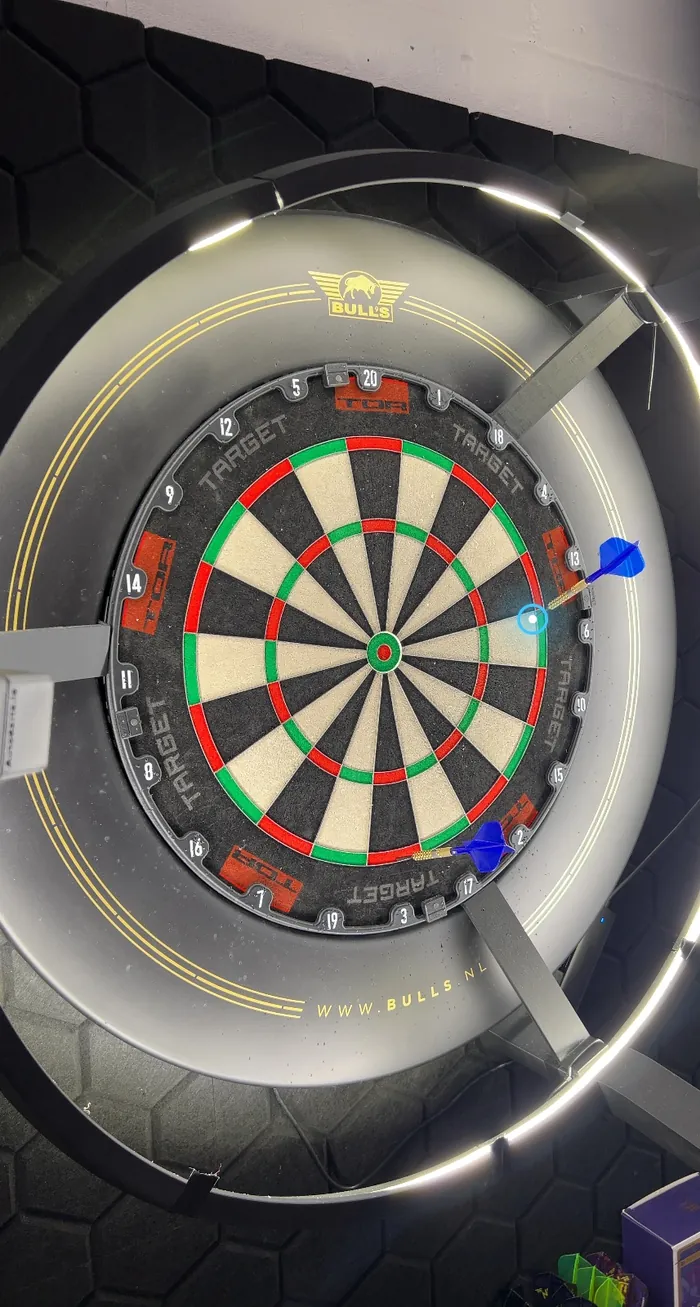
Real photo of a dartboard from an iPhone with the AI's blue marker on a dart

A real photo from an iPhone in testing: the blue ring is where the AI places the dart.

And everything else

Built for the way you actually play.

Play the bot

Ten levels, from a beginner’s 10 average up to a 100 average. Speed it up when you want a quicker game.

Real stats

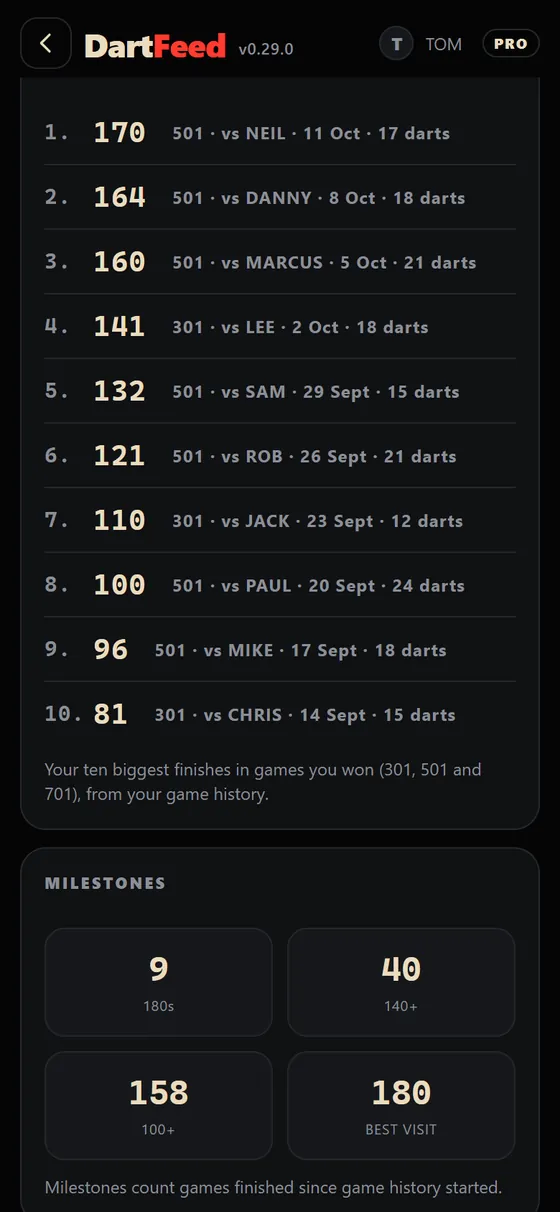
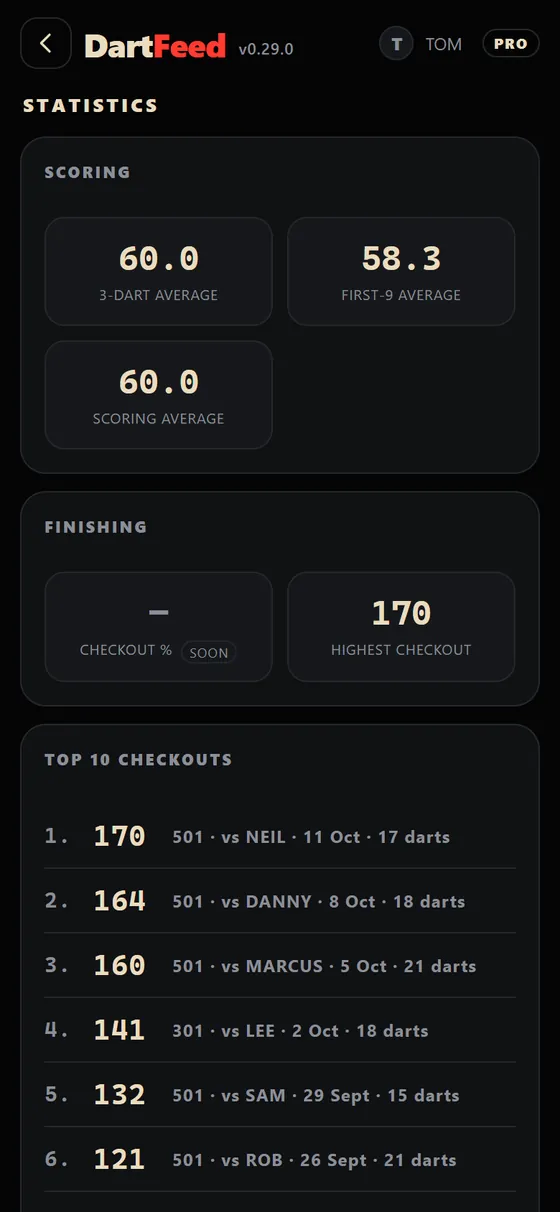
3-dart average, first-9 average, best visit, 180s, 140+ and 100+, highest checkout and your top 10 checkouts.

Game history

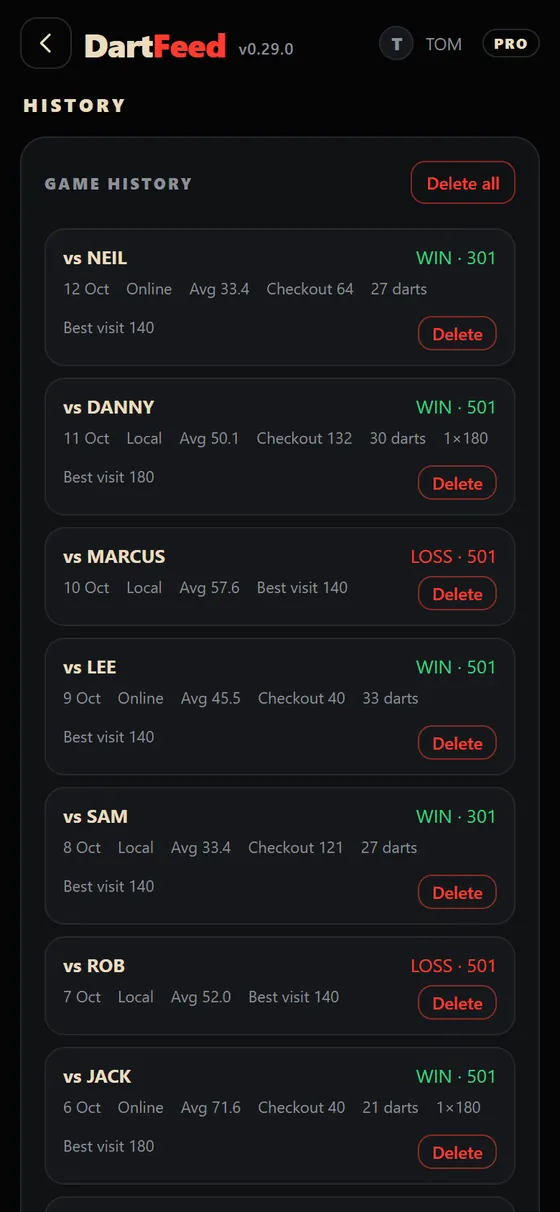
Every finished game, with the score, checkout and best visit. Delete any game you do not want to keep.

A caller in your pocket

“One hundred and eighty!” Scores are read out in a proper caller’s voice, dart by dart or by the visit.

Your player card

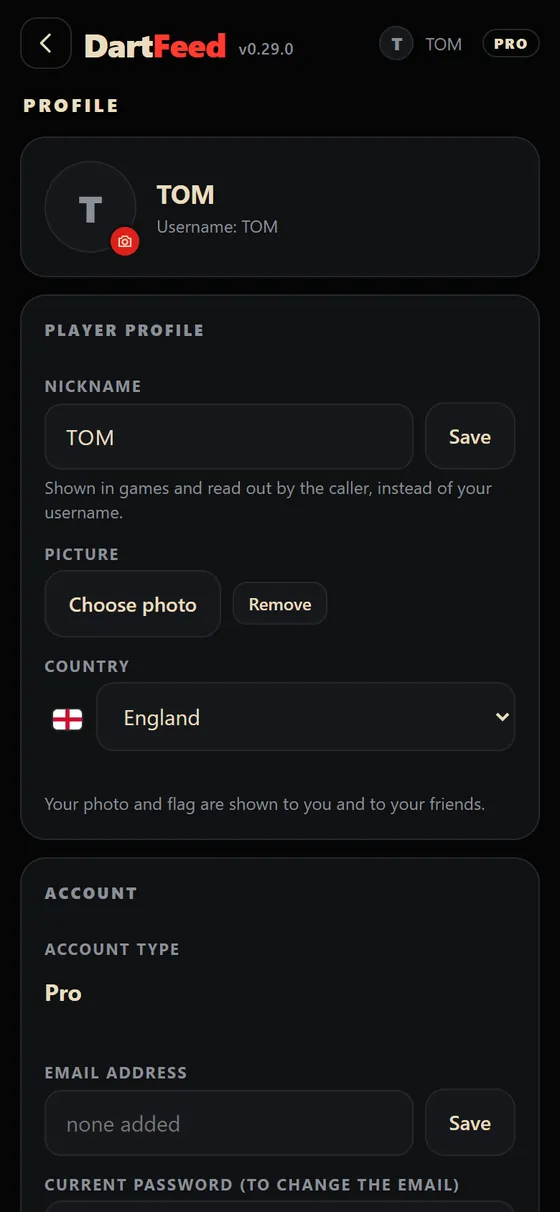
A nickname, a picture and your country flag, shown to you and your friends.

Privacy first

Camera pictures are read on your device. Replays stay on your device. Download or erase all your data any time from your profile.

DartFeed home screen
Home
Top 10 checkouts
Top 10 checkouts
Game history
Game history
Player profile
Player card
Statistics
Statistics
A 180 on the scoring screen
180!

Screens show sample data.

Plans

Start free. Go Pro when you are ready.

Basic

Free
  • 3-camera scoring in your browser
  • Checkout guide with auto-zoom
  • 301 / 501 / 701, double out, legs
  • Play the bot (10 levels)
  • Stats, history and accuracy tracking
  • Phone scoring — coming soon

Pro

Everything in Basic, plus
  • Online play with friends
  • 501 Friends — groups of up to 4
  • Replays of your 180s and checkouts
Request early access
Early access

Be one of the first to try DartFeed.

DartFeed is in early access. Request a place and we will email you an invite link when your turn comes — you will get to try it first and help shape it.

  • Early access to new features
  • A direct line to the developer
  • Free to join — we will only email you about early access
Questions

Good to know

Can I score with my phone?

Phone scoring is in testing and is coming soon. For now DartFeed scores with three cameras round the board. Request early access above and we will tell you when the phone version opens.

What do I need?

Three USB cameras placed round the board (an existing 3-camera set-up works) and a PC with the Chrome browser. There is nothing to download or install, and no special board.

Which dartboards does it work with?

It is built for standard 18-inch bristle dartboards. The scoring uses the board’s own geometry, so you do not need a special board — just a clear view of it with decent light.

How accurate is it?

It is very good, but no camera system is perfect, and we would rather show you than tell you. Every dart can be corrected with a tap, and the accuracy tracker shows the percentage of darts it read right across your last 100.

Does my camera video get uploaded?

No. The pictures are read on your device. Replays stay on your device. Video is only shared between players in an online game, directly between your devices, and you can leave the game at any time.

Is it free?

The Basic plan is free. Pro adds online play, 501 Friends and replays.

When is the phone version out?

Soon. Request early access above and you will be among the first to know.

Can I delete my data?

Yes. From your profile you can download everything we hold about you or erase your account and data in one go. See the privacy notice.